
PATH Canvas Studio
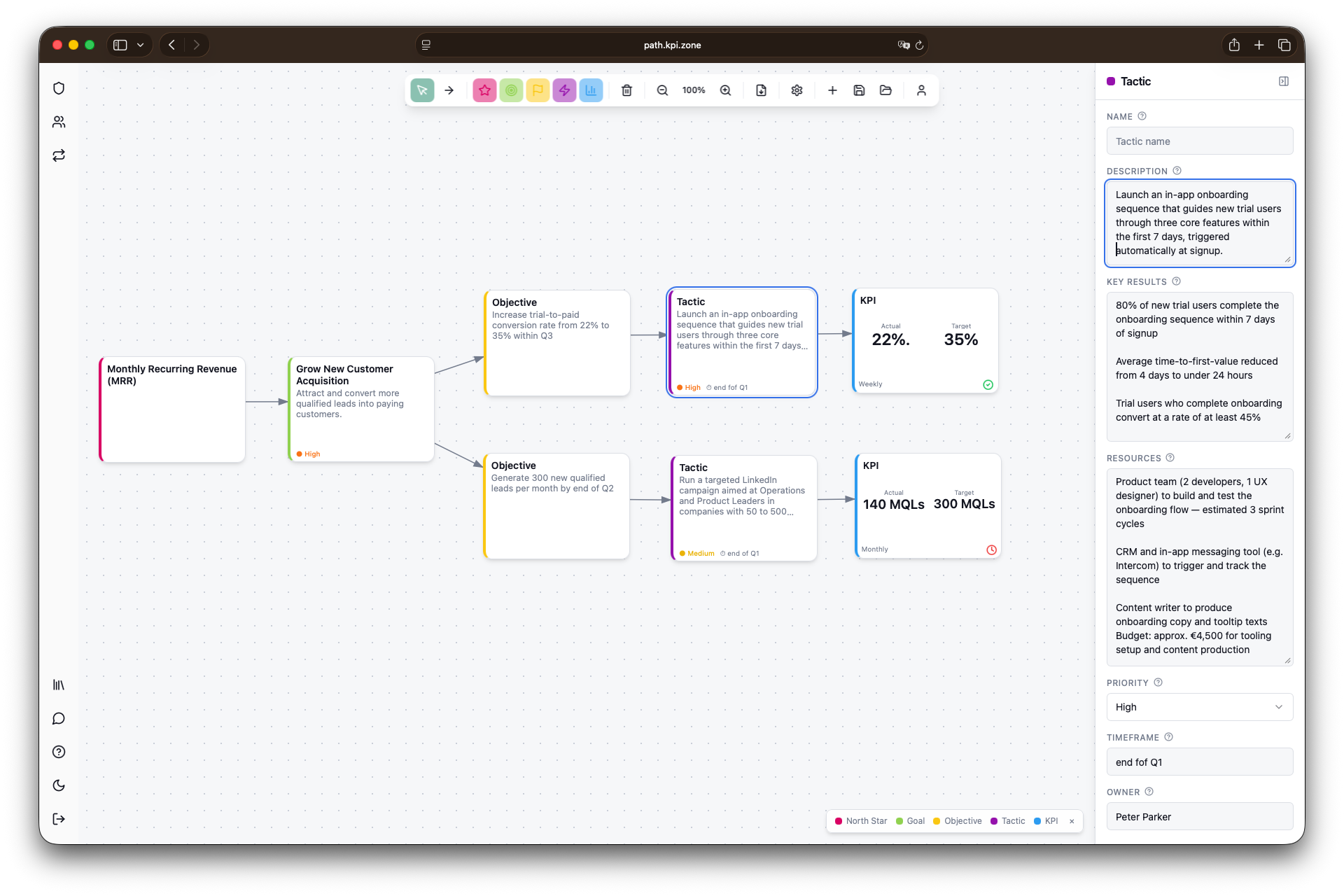
PATH Canvas Studio is a free online app that helps you build structured KPI systems using the proven PATH Canvas framework. Plan with OKRs, Goal Trees, and 4DX. No registration required to start, and full control over your KPI initiatives from day one.

From Miro Template to Standalone App
The PATH Canvas has always been available as a Miro template, and it remains a great way to collaborate if you and your team are already working in Miro. The visual freedom, the real-time collaboration, the familiar interface — it works beautifully.
But not everyone uses Miro. And not everyone wants to.
More and more users asked for a solution that doesn't require a Miro account, doesn't share their data with a third-party platform, and feels less like a whiteboard and more like a dedicated planning tool. That's exactly why I built the PATH Canvas Studio.
What is PATH Canvas Studio?
PATH Canvas Studio is a dedicated online web application for building your KPI system using the PATH Canvas framework. It includes all the features, fields, and building blocks you know from the Miro version, but redesigned as a true app experience. More intuitive. More structured. Built specifically for KPI planning.
Everything you need to design, connect, and manage your KPI initiatives is right here, without leaving your browser, without needing a Miro license, and without sharing your data with anyone else.


How It Works
PATH gives you two things:
Four strategic dimensions that embed your KPIs in both strategy and execution: Policy, Action, Team, and Habit.
Five standardized building blocks (Key Performance Drivers) that work across any framework: North Star Metric, Goals, Objectives, Activities, and KPIs.
Whether you're running OKRs, building Goal Trees, or tracking metrics with 4DX, you use the same components, the same structure, and the same shared language. Your systems stay compatible. Your teams stay aligned.
Get the Playbook
New to the PATH Canvas? The PATH Playbook walks you through the full framework step by step. It covers how to choose the right framework for your challenge, how to build your KPI system using the standardized building blocks, and how to avoid the most common pitfalls. You can get the Playbook right here on KPI.zone alongside the Canvas, so you have everything you need to get started with confidence.
 Matthias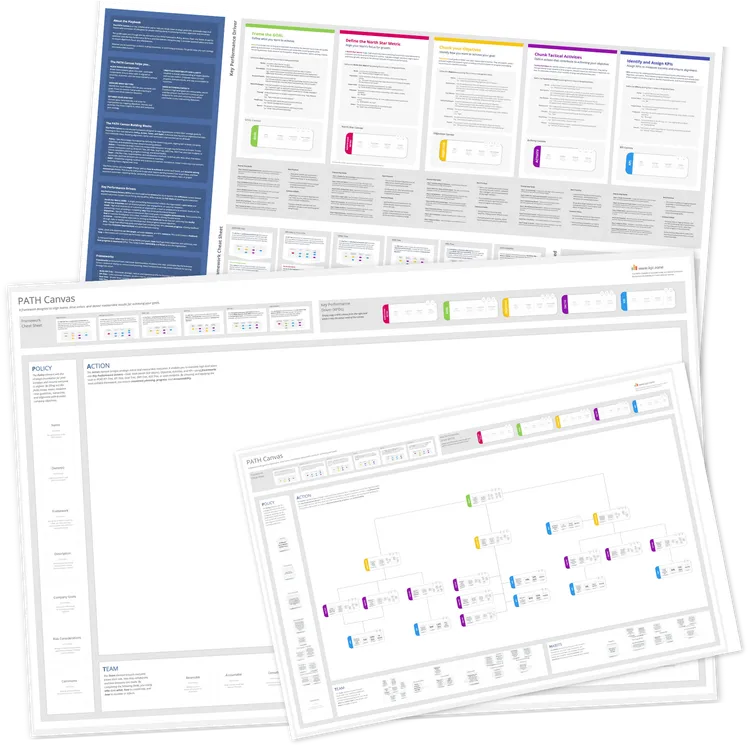
Free to Use, No Registration Required
You can start using PATH Canvas Studio right away, completely free and without creating an account. Just open the app and start building.
Keep in mind though: to save your work and continue where you left off, you will need to register a free account. With a registered profile you can create multiple canvases and KPI plans across different frameworks, all in one place.
Currently in Beta
PATH Canvas Studio is still in beta, which means it's actively being improved and your experience matters. You're warmly invited to test the app and share your feedback: features you feel are missing, errors you encounter, or ideas that would make it more useful. Use the contact function to reach out directly.
Your Data, Your Control
All data is stored in a Supabase instance hosted on AWS in Ireland. If you'd prefer to use your own Supabase instance or want to host PATH Canvas Studio in your own environment, just get in touch, and I'm happy to explore that with you.
Pricing: Free During Beta
PATH Canvas Studio is completely free to use during the beta phase. In the future, a small fee will be introduced to cover operational costs. Beta users who register during the beta phase will continue to use it for free, permanently.
So go ahead, start planning your KPIs, explore the frameworks, and help shape the future of the tool.
Have fun using it. Matthias